PDF Reader - Editor & Viewer
Eternal Mobile LabsTools
4.4645.00 Reviews
- Version
- 4.13.1
- Installs
- 10.00M
- Age Rating
- Everyone
Screenshots
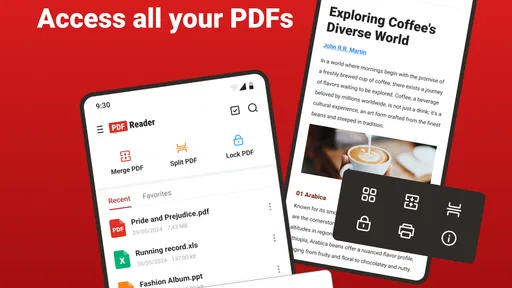
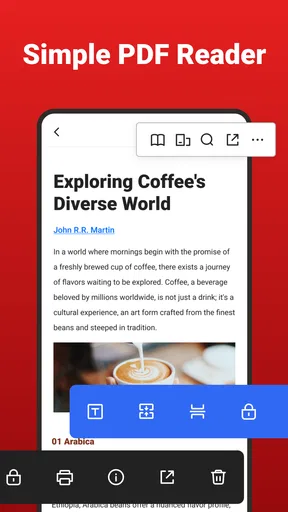
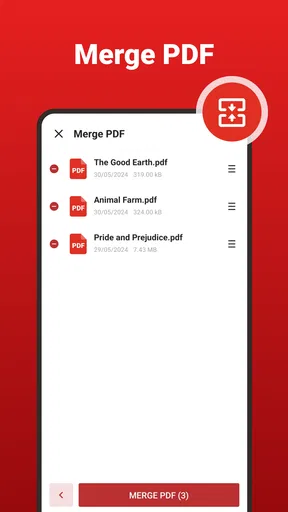
Our Review of PDF Reader - Editor & Viewer
 Analysis by Appyee
When I decide whether to keep a document app on my phone, I care less about a long feature list than about a few practical things: can I find a file quickly, read it comfortably, and make a small change without switching apps? PDF Reader - Editor & Viewer aims to cover that everyday mix. I see it as a handy mobile toolkit for people who handle PDFs alongside office documents, rather than a replacement for a full desktop publishing or document-editing setup.
What I look for in a mobile document tool
On a phone, the best choice depends on what you actually do with documents. If you mostly open a form, check a receipt, or read a handout, fast access and legible pages matter more than elaborate editing. If you need to revise a report extensively, preserve exact formatting, or collaborate through a work system, a dedicated office suite or your organization’s preferred document app may be the better fit.
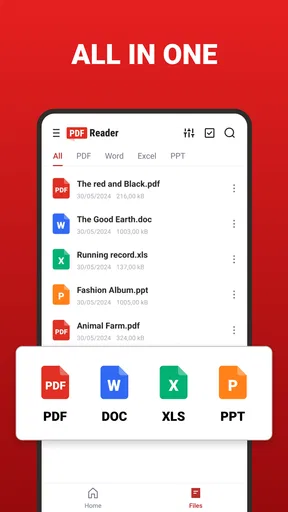
This app sits between those needs. Its purpose is to bring PDF reading and file management together with support for DOC, Excel, and PPT files. That breadth is useful when a document arrives in an unexpected format, but it does not mean every task will feel equally natural on a small screen. I would use it for reviewing and handling common files, then move to a more specialized tool when a document needs substantial restructuring.
A useful middle ground for everyday files
The practical advantage is having one place to turn when a file needs more than a quick glance. A student could open lecture material, mark a passage to revisit, and keep the document ready for later study. Someone dealing with household paperwork could check a PDF bill and sort it alongside other files. These are modest jobs, but they are exactly the moments when opening a laptop feels like unnecessary effort.
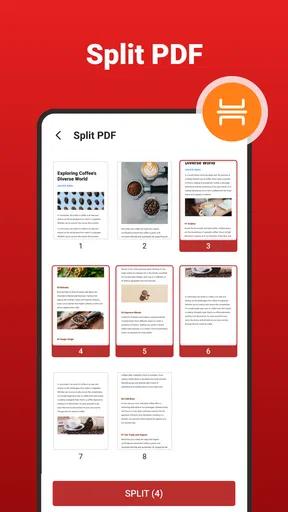
A realistic example is receiving a multi-page form while away from home. I would open it to check the relevant pages, use a note or highlight to flag a section that needs attention, and split out the pages I need to send or keep separately. That kind of sequence can make a general-purpose reader more useful than a bare viewer. The key is to treat mobile editing as a convenience for review and organization, not assume it will replace a desktop workflow for every document.
Where it stands beside other options
Compared with a basic PDF reader, the appeal here is the broader file-handling focus: PDF is not the only document type in the picture, and splitting and managing files are part of the app’s stated role. A dedicated PDF editor may be preferable if your work depends on precise page layout or advanced document controls. A full office suite is usually the more sensible choice for creating or revising complex spreadsheets and presentations. I would choose this app when I want a practical reader with extra document tasks close at hand, not when I need a specialist tool to do one demanding job.
There is also a trade-off in keeping everything under one roof. A single app can reduce the back-and-forth of opening different file types, but a broader toolkit can feel less focused than an app designed around just reading PDFs. Before relying on any mobile editor for a final version, I recommend reopening the saved file and checking the pages that matter. That quick check is especially sensible after changing a document or preparing pages to share.
Who should try it—and who may prefer something else
I think it makes sense for people who regularly receive mixed documents on a phone and want a straightforward place to read, review, and manage them. It may suit students, commuters, and anyone handling everyday forms better than a reader that only opens PDFs. The app is free to start, is rated for Everyone, and comes from Eternal Mobile Labs. It has a 4.1 average from around 10,000 ratings and over 1 million installs, so it has found a substantial audience without that alone guaranteeing it will match every person’s workflow.
I would look elsewhere if my main requirement were deep PDF production, meticulous layout work, or a highly specialized office workflow. I would also think twice if I only needed to read an occasional PDF and already had a built-in viewer that opens files reliably. Installing another tool is worthwhile when its extra file management saves time; otherwise, a simpler option may be easier to live with.
Small habits that make mobile document work safer
One useful habit is to separate “review” from “final editing.” I use a phone to find a passage, add a reminder, or identify pages that need attention; for high-stakes documents, I then inspect the finished file before sending it. This helps catch layout changes that can be easy to miss on a narrow display. It also prevents a quick annotation session from turning into an assumption that the original document has been comprehensively revised.
For long files, search can be more useful than scrolling page by page, especially when you remember a term but not where it appears. I would search for a distinctive word, then check the surrounding section rather than treating one match as the whole answer. When splitting a document, decide first whether you need a smaller copy for sharing or simply want to keep a few pages easy to find; preserving the complete original separately is a sensible precaution whenever the source matters.
First Impressions
When I first downloaded PDF Reader - Editor & Viewer, I was impressed by its sleek and user-friendly interface. It’s the kind of app that doesn’t bombard you with unnecessary features and instead focuses on doing its core job exceptionally well. The installation was a breeze, and I was up and running in no time.
Key Features
The app boasts a range of features that cater to both casual users and professionals. Whether you’re just looking to quickly open a PDF or need to edit and annotate documents, this app has you covered. Here are some highlights:
- View PDFs: The app opens PDFs swiftly without any lag, which is a blessing when you’re in a hurry.
- Edit and Annotate: You can easily highlight text, add notes, and even draw directly on the document.
- Convert Files: This feature allows you to convert PDFs to other formats like Word or Excel, making it versatile for different needs.
- Cloud Integration: Seamlessly connect with cloud services to access your documents anywhere.
Using the App
Getting around the app is intuitive. The navigation bar at the bottom makes it easy to switch between viewing, editing, and managing your files. I found the search feature particularly handy when dealing with large documents. The app also supports multiple languages, which is a nice touch for non-English speakers.
I spent some time editing a PDF, and the tools were surprisingly robust for a mobile app. I could easily add comments and highlight sections, and the changes were saved instantly. The conversion tool was another standout feature. Converting a PDF to a Word document was simple, and the formatting was mostly intact, which is often a challenge with such conversions.
Performance and Reliability
During my usage, PDF Reader - Editor & Viewer performed consistently well. It didn’t crash or freeze, even when handling larger files. The app is lightweight, which is great for devices with limited storage. Battery usage was minimal, even with prolonged use, which is a big plus for those on the go.
Room for Improvement
While the app is fantastic, there are a few areas where it could improve. The free version includes ads, which can be a bit distracting, though they’re not overly intrusive. Additionally, some of the advanced features are locked behind a premium paywall, but this is quite common in similar apps.
That free-to-paid boundary is worth weighing before making it part of a daily routine. The app is free to download, with in-app purchases ranging from $3.99 to $89.99 per item, so I would check what a specific upgrade unlocks before paying rather than assuming every useful tool requires a purchase. The current version is 4.1.5, and it requires Android 8.1 or later. If you mainly need occasional reading, start with the free experience and see whether the ads or feature limits actually interrupt your routine; frequent use is a better reason to consider paying than curiosity alone.
Final Thoughts
Overall, PDF Reader - Editor & Viewer is a solid choice for anyone needing a reliable PDF tool on their mobile device. Its impressive range of features and ease of use make it stand out in a crowded market. Whether you’re a student, professional, or just someone who frequently deals with PDFs, this app is definitely worth checking out.
If you’re interested in giving it a try, you can download the app directly from the Google Play Store or Apple App Store. Trust me, it’s one of those apps that you’ll wonder how you ever lived without.
Before you make it your default
I would test it with the kinds of files you handle most, not just a short, clean PDF. Try opening a form with several pages, searching for a term you know is inside it, and checking whether the view and available tools suit the way you work. If your routine includes DOC, Excel, or PPT files as well as PDFs, that mixed-document role is a meaningful reason to keep it. If your needs are limited to reading one occasional attachment, your phone’s existing viewer may already be enough.
For anyone deciding whether to switch from a familiar reader, the main question is whether the extra management and editing options reduce friction often enough to justify learning another interface. I would not move an entire archive over just to explore it. Start with a few nonessential documents, confirm that your normal open-review-save routine feels comfortable, and keep important originals intact while you learn where the tools fit. That small trial gives a much clearer answer than judging the app from a feature list.
My recommendation
I’d recommend giving it a try if you want a single mobile app for reading PDFs and handling a broader mix of everyday documents, especially when quick search, annotations, or page organization would save you a trip to a computer. Its appeal is practical convenience, not a promise that every document task can be completed perfectly on a phone. For intensive editing, complex office work, or a workflow already served well by a simpler reader, I’d choose a more specialized or familiar alternative. For the in-between jobs that crop up during a commute, a class, or a busy day away from a desk, it is a reasonable tool to have ready.
Verdict
Strengths of PDF Reader - Editor & Viewer
- User-friendly interface for seamless navigation.
- Supports multiple file formats, not just PDFs.
- Annotation tools enhance document interaction.
- Fast loading times even for large files.
- Offline mode available for editing on the go.
Limitations of PDF Reader - Editor & Viewer
- Ads can be intrusive in the free version.
- Limited cloud storage options.
- Some advanced features require a subscription.
- Occasional lag with very large documents.
- Customization options are somewhat restricted.
Other Releases by Eternal Mobile Labs
View All
All Document Reader: PDF/Word
Tools4.2
Similar Picks in This Category
View All
Google LLC4.0

Gboard - the Google Keyboard
Google LLC4.5

Google Play services
Google LLC4.3

Google Play Store
Google LLC4.9

Files by Google
Google LLC4.5

SHAREit: Transfer, Share Files
Smart Media4U Technology Pte.Ltd.4.3
Frequently Asked Questions
What are the key features of PDF Reader - Editor & Viewer?
PDF Reader - Editor & Viewer offers a range of features including viewing, editing, annotating, and signing PDFs. It supports text highlighting, form filling, and document sharing. Additionally, the app provides cloud storage integration, allowing easy access to your documents from anywhere. Its user-friendly interface makes navigation simple and efficient.
Is PDF Reader - Editor & Viewer available for both Android and iOS devices?
Yes, PDF Reader - Editor & Viewer is available on both Android and iOS platforms. Users can download it from the Google Play Store or the Apple App Store. The app is optimized for smartphones and tablets, ensuring a seamless experience across different devices.
Does PDF Reader - Editor & Viewer support offline functionality?
Absolutely, PDF Reader - Editor & Viewer allows you to access and edit your PDF documents offline. This is particularly useful for users who need to work on documents without a stable internet connection. Any changes made offline will be synced once the device is reconnected to the internet.
Are there any in-app purchases or subscriptions required?
While PDF Reader - Editor & Viewer is free to download and offers basic functionalities, it includes in-app purchases for premium features. These may include advanced editing tools, additional cloud storage, and ad removal. Subscription options are available for users seeking a more comprehensive experience.
How secure is PDF Reader - Editor & Viewer when handling sensitive documents?
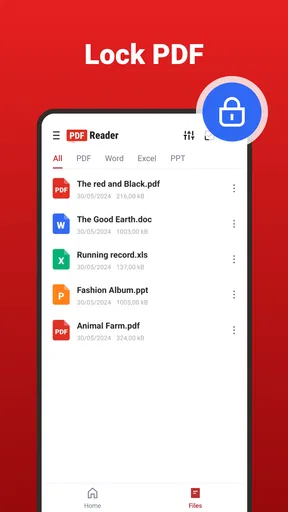
The app prioritizes user privacy and document security, offering password protection and encryption for sensitive files. It adheres to industry-standard security protocols to ensure your documents remain confidential. Users can also set up biometric authentication for added security on supported devices.
